View activity logs
The Activity Log is the historical record of actions taken in CID Hub. It captures who did what and when, across user management, CID configuration, software changes, server changes, remote access, and authentication events. Use it to trace a configuration change, gather evidence for a compliance review, or get context for a support investigation.
CID Hub keeps a single account-wide log. You can read it in two ways: a Global Activity Log that shows every event in your account, or a CID-specific Activity Log that filters the same data down to one device.
Prerequisites
- You must have a CID Hub account and be signed in.
Open the Global Activity Log
The Global Activity Log shows every event from your account in a single list.
-
In CID Hub, click Activity Log in the top navigation bar.
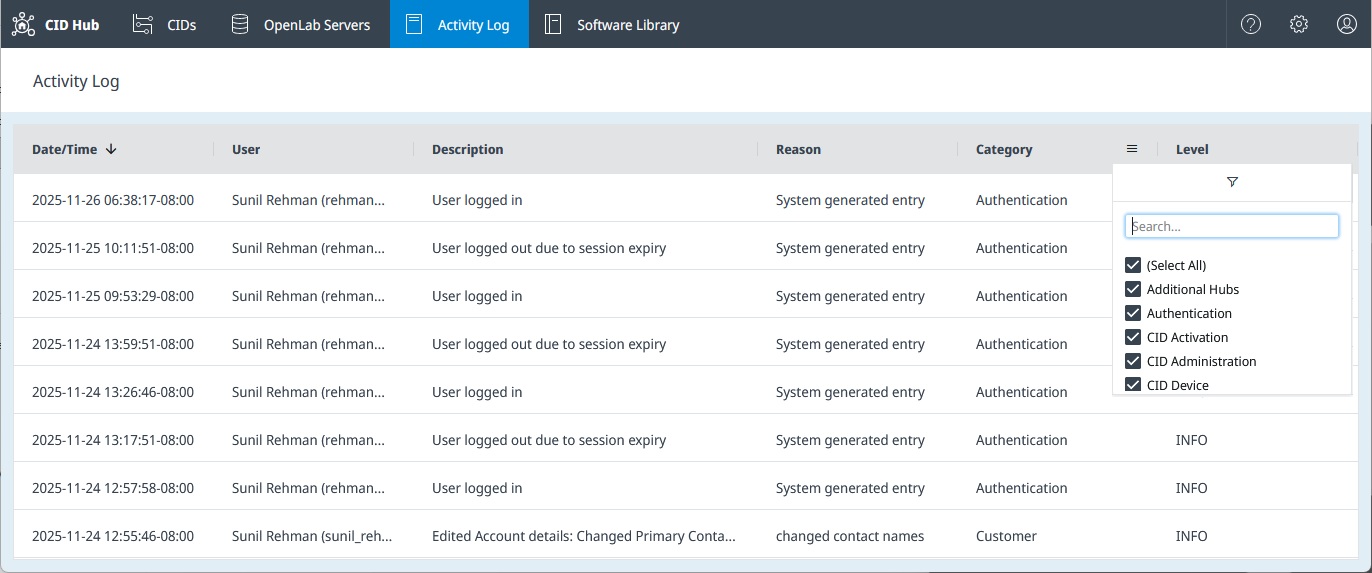
The log opens sorted by Date/Time, newest first. CID Hub loads 100 entries at a time and fetches more as you scroll.
Open the Activity Log for one CID
When you only need history for a single CID, open its filtered view from the CIDs list.
-
In CID Hub, click CIDs in the top navigation bar.
-
Click the name of the CID you want to inspect.
-
Select the Activity Log tab in the left-hand navigation.
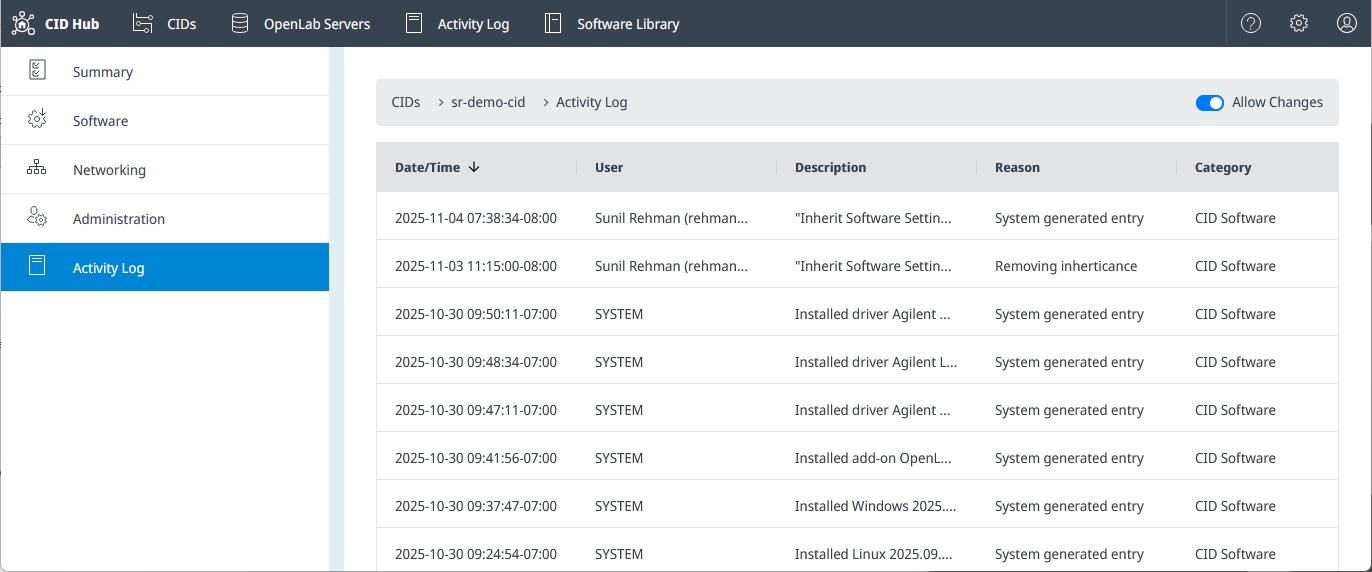
This view shows only the events that act on the CID you opened.
Sort and filter the list
Both views use the same column controls.
- Click a column header to sort by that column.
- Click the chevron next to a column header to open that column's filter.
Filter by date and time, user, description, reason, category, or level. For the complete field, category, and severity definitions, see Activity Log.
Activity Log compared to Recent Activity
CID Hub has two separate event feeds. They look similar but answer different questions.
-
The Activity Log, described on this page, is for traceability. It records high-level user and system actions such as
Requested install driver Agilent Quadrupole LC/MS 3.2.725 for CID: sr-demo-cidorInstalled driver Agilent Quadrupole LC/MS 3.2.725 for CID: sr-demo-cid. -
The Recent Activity feed on a CID's Summary page is for troubleshooting. It shows low-level steps taken by the CID agent on the device itself, such as
Resolving 'hostname' to its IP address.... See Activate a CID for an example of this feed in use during activation.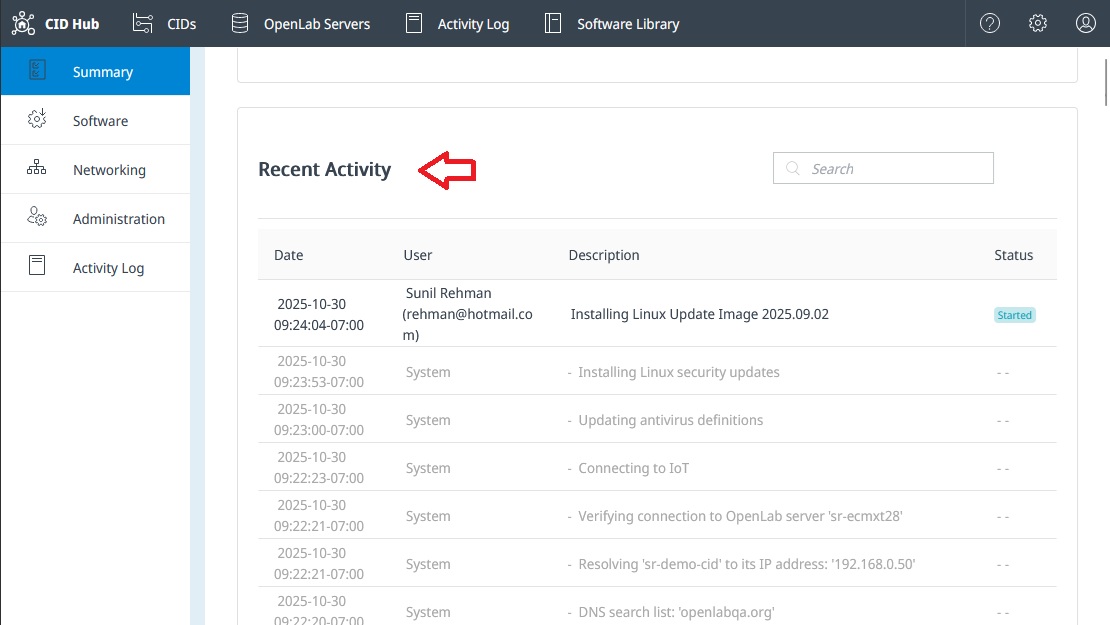
Activity Log entries persist after a CID is deleted, so the history for a removed CID stays readable.
See also
- View CIDs: use the CIDs list to find the CID you want to inspect.
- Configure software exceptions: a typical source of
CID Softwareentries. - Traceability and compliance: what is captured in the Activity Log, retention, and tamper protection.
Last updated: