Remove an OpenLab Server
Remove an OpenLab Server record when it is no longer used by any CID. Removing the record from CID Hub does not uninstall or modify the physical OpenLab Server.
Prerequisites
- You must have permission to remove OpenLab Servers.
- No CIDs can remain associated with the server. CID Hub blocks the removal and lists the affected CIDs if any associations remain.
Remove the server
-
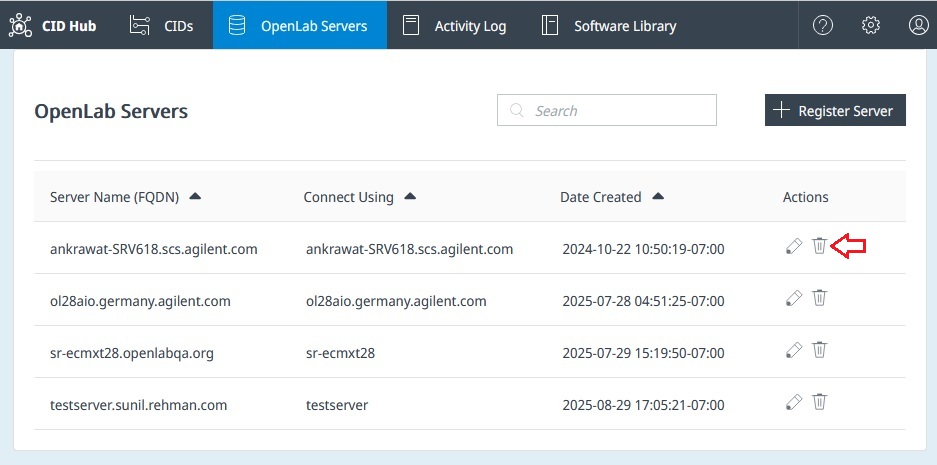
In CID Hub, click OpenLab Servers in the top navigation bar.
-
Click the Delete icon in the Actions column for the server.
-
Enter a reason for removing the server.
-
Confirm the removal.
CID Hub removes the record and records the action and reason in the Activity Log.
See also
- Register an OpenLab Server: create a server record.
- Edit an OpenLab Server: update an existing record.
- View CIDs: find CIDs associated with a server.
- View activity logs: review the recorded removal.
Last updated: